
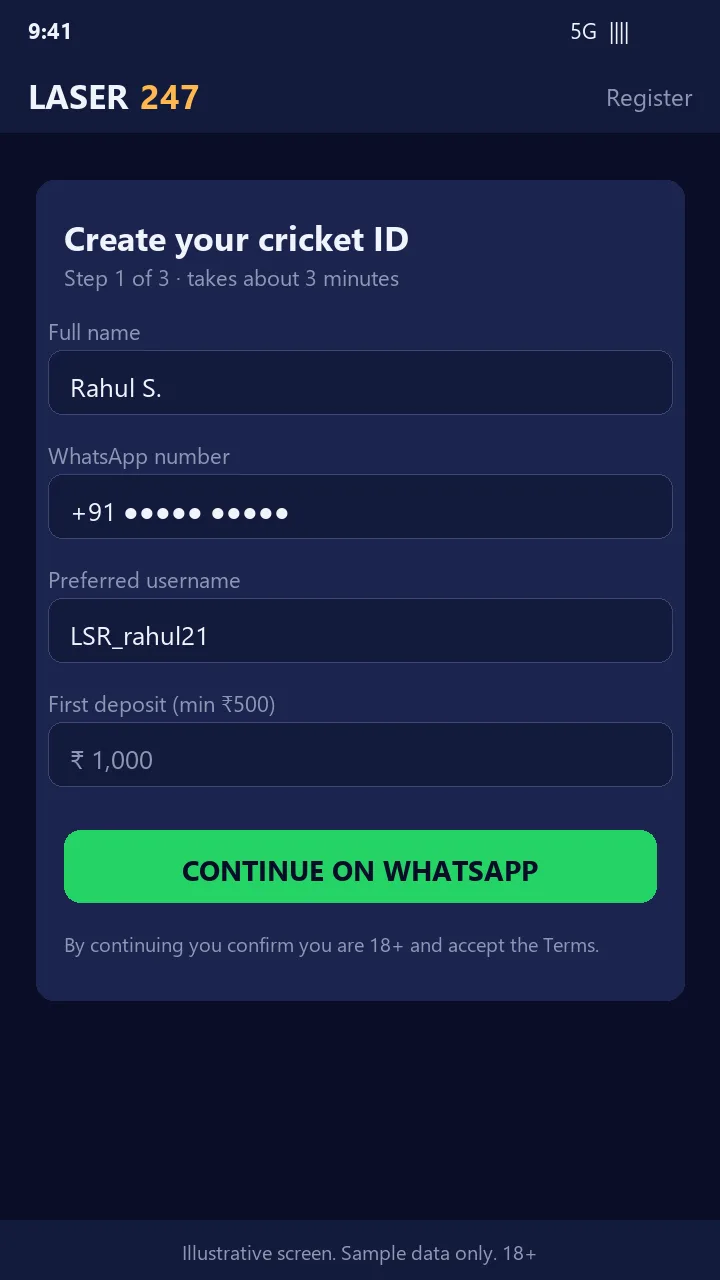
Laser247 registration takes three to five minutes for most people, but a small number of signups stall. Usually the cause is simple: a message sent to the wrong number, an OTP that went to an old SIM, or a second account the system has already flagged. Below are the registration problems our support team sees most, with the exact fix for each.
Problem 1: the WhatsApp message gets no reply
You tapped the button, the chat opened, you sent the greeting, and nothing came back. Three causes cover almost every case.
- You messaged a copied number. Numbers forwarded in groups are often old or belong to someone else. Always start from the button on the registration page.
- Peak-hour queue. Between 6 PM and midnight during big matches, replies can take a little longer than the usual 90 seconds. Give it a few minutes before sending a second message, which only pushes you further back.
- WhatsApp itself is offline. Check that another chat sends normally.
If ten minutes pass with no reply, send one more message saying “new ID” so the queue picks it up as a signup. Outside peak hours a reply normally arrives well inside two minutes, so a long silence usually points to the first cause: the number you messaged is not ours.
Problem 2: the OTP never arrives
After the agent creates your username you log in and the site asks for a code. If it does not come:
- Confirm the number you gave the agent is the one in your phone right now. A surprising number of people share an old number out of habit.
- Check WhatsApp as well as SMS. The code goes to both for most accounts.
- Switch off and on airplane mode to force the network to deliver queued SMS.
- Wait five minutes, then tap Resend once. Repeated taps can delay delivery.
Still nothing? Message the agent from the registered number and say the OTP is not arriving. They can correct the number on the account and resend.
Problem 3: you gave the wrong number
This is the most common cause of a login failure on day one. The account exists, but the OTP goes to a number you do not control. Tell the agent in the same thread you used to sign up. Because that thread came from your real WhatsApp number, they can verify you and update the mobile number on the account. Do not try to create a second account with the correct number; that creates Problem 4.
Problem 4: “account already exists”
We allow one account per person. If the system finds a match on your mobile number, registration stops. Sometimes the earlier account was created months ago and forgotten. Sometimes a family member used the same number.
The fix is recovery, not re-registration. Use Forgot Password on the login page with the number, or ask the agent to look up the existing username. Opening a duplicate leads to both accounts being closed, with any balance held until the review is done.
Problem 5: you are under 18
You must be 18 or older. There is no exception and no workaround, and an account found to belong to a minor is closed without the balance being paid out. If you are signing up on behalf of someone else, stop; accounts must be in the name of the person who uses them.
Problem 6: NRI and overseas questions
The platform is built for users in India, with Indian payment methods, Indian servers in Mumbai and Bangalore, and support in Hindi and English. We get regular questions from NRIs who want to register with a foreign number. The honest answer is that WhatsApp signup works with any number that can receive our message, but deposits and withdrawals run through UPI and Indian bank rails, so an Indian bank account or UPI ID is needed to move money. Check the law where you live before registering; that responsibility sits with you.
Problem 7: the deposit did not reflect
Strictly a post-registration issue, but it is the first thing many new users ask about. UPI deposits normally show within 60 seconds. If yours has not after five minutes, send the agent the UPI transaction reference from your payment app. Do not pay again. The reference lets them trace and credit the payment, usually inside a few minutes.
Problem 8: login works but the balance shows zero after a deposit
You deposited, the UPI app says success, and the wallet still reads ₹0. Before messaging anyone, pull down to refresh or log out and back in; the balance sometimes updates on the next screen load. If it is still zero after five minutes, open your UPI app, copy the transaction reference number, and send it to the agent in your signup thread. That reference is what they use to locate the payment with the gateway. Never make a second payment to “test” it; a duplicate deposit is harder to untangle than a delayed one.
A related case is the bonus not appearing. Bonuses are credited only when they were confirmed with the agent before the deposit, and they can show a few minutes after the deposit itself. If you confirmed an offer and it is missing after ten minutes, say so in the same thread and quote the offer the agent named.
A quick pre-flight check
| Check | Why it matters |
|---|---|
| Started from the page | Avoids fake numbers and fake login pages |
| WhatsApp active on the number you will register | OTP and support both use it |
| You are 18 or older | Mandatory |
| No previous account on this number | Prevents the duplicate block |
| A UPI app installed | Makes the first deposit instant |
Everything in order? Get your Laser247 ID on WhatsApp and send the greeting.
Frequently asked questions
Can I register with an email instead of WhatsApp?
No. Registration and account recovery both run through your WhatsApp number, which is why we ask for an active one.
Does registration cost anything?
No. Creating the ID is free. The first deposit is optional and starts at ₹500.
Do I need Aadhaar or PAN to register?
No. Documents are requested only for withdrawals above ₹50,000.
Can I change my registered number later?
Yes, through support, after they verify you against your original signup chat.
How long does the welcome bonus take to show?
Confirm the offer with the agent before depositing. Once the deposit reflects, the bonus is credited within minutes.
Related Laser247 guides
- Laser247 register: full walkthrough
- Laser247 ID page
- Cricket ID requirements: age, documents, KYC
- 7 mistakes new users make with a Laser247 ID
- Laser247 WhatsApp number and support
- Deposits and withdrawals
18+ only. Betting involves financial risk. Set limits and play responsibly.