

Many of our players say “Laser Book” when they mean the Laser247 exchange, and “Laser Book login” when they mean signing in to it. Whatever you call it, the account behind it is the same. This guide walks through the login flow on web and app, password recovery by OTP, the automatic lock rules, and how to avoid the fake login pages that copy our name.
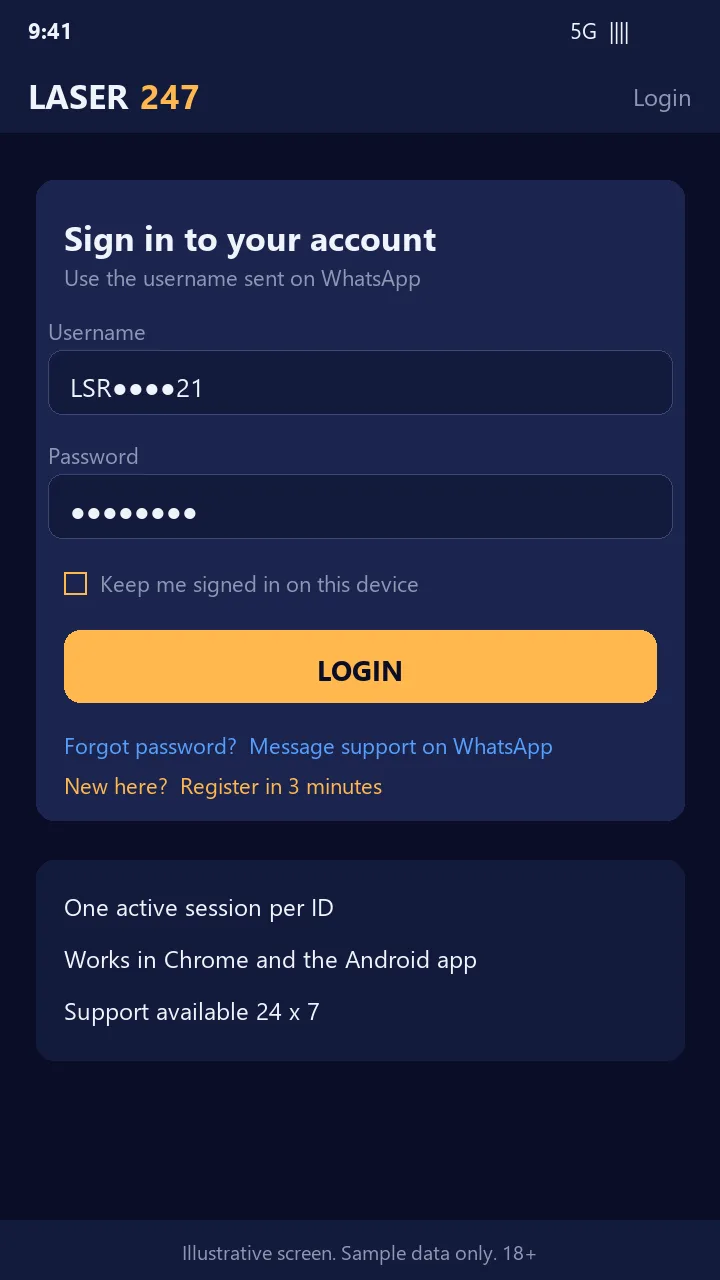
Laser Book and Laser247: one account, two names
The word “book” comes from the old habit of calling any betting ledger a book. Our players carried that habit over, so the exchange is often referred to as Laser Book in chats and groups. There is no separate Laser Book product. The username our agent gave you on WhatsApp is your Laser Book login and your Laser247 login at the same time. We explain the background on the Laser Book 247 page.
Logging in on the website
Open this site, tap Login in the top corner, and you will see two fields and a button. Type the username exactly as it was sent to you. Usernames are case-sensitive, and the most common failure we see is a capital letter typed as lowercase. Enter your password and tap Login.
If two-factor login is switched on, the next screen asks for a code. That code arrives by SMS on your registered mobile number and, for most accounts, as a WhatsApp message too. Enter it and the dashboard opens with your balance in the top bar.
Logging in from a new phone or a new city can trigger the code prompt even if you have not switched it on, because the system treats an unfamiliar device as a reason to check. That is normal.
Logging in on the Android app
The app is under 30 MB and uses the same credentials. After the first successful login you can enable fingerprint or face unlock from Settings, which skips the password screen on your own phone. The app stays signed in between visits unless you log out or change the password elsewhere, in which case it asks you to sign in again.
iPhone users do not get a store app. The mobile site does the same job in Safari or Chrome and supports Face ID through the browser. Full details are on the app download page.
Forgot your password? Recovery by OTP
Below the Login button there is a Forgot Password link. Here is the sequence.
- Tap Forgot Password and enter your username or registered mobile number.
- An OTP goes to that number by SMS and WhatsApp within seconds.
- Enter the OTP, set a new password, and confirm it.
- Log in with the new password. Any other device still signed in is logged out.
If no OTP arrives within five minutes, check that the number you typed is the one you registered with. If it is, message support on WhatsApp from that same number. The agent can verify you against the original signup thread and reset access manually.
Account lock rules you should know
| Trigger | What happens | How to clear it |
|---|---|---|
| 5 wrong passwords within 15 minutes | Automatic 30-minute lock | Wait 30 minutes, or verify on WhatsApp to unlock immediately |
| Unusual betting pattern or sudden large stakes | Manual review hold | Support usually clears it within 24 hours after a KYC check |
| Duplicate account detected | Account closed | Contact support only if you believe it is an error |
The 30-minute lock exists to stop someone guessing your password. If you trigger it yourself, the quickest fix is to stop typing and use the Forgot Password link instead of trying a sixth guess.
Changing your password and logging out everywhere
You do not need to forget a password to change it. Under Settings there is a Change Password option that asks for the current password and the new one twice. Use it the first time you log in, because the password the agent sent you travelled through a chat and should not be the one you keep.
Changing the password has a second effect that is useful on its own: every other device signed into the account is logged out. If you once logged in on a friend’s phone or a shared computer and are not sure you signed out, a password change clears those sessions in one step. You will be asked to sign in again on your own phone and app afterwards, and the app will re-enable fingerprint or face unlock on the next login.
Keep the registered mobile number current as well. Every recovery path, from OTP to manual verification on WhatsApp, runs through it, and an old number is the single most common reason a recovery takes longer than it should.
Spotting a fake Laser Book login page
Because the name is popular, copies of our login screen appear on random domains and in Telegram forwards. Some signs that a page is not ours:
- The address bar shows a domain you did not reach from our site or app.
- The page asks for your bank OTP, UPI PIN or card details. We never ask for any of these, at login or anywhere else.
- A “deposit to activate login” message appears before you have even signed in.
- Spelling errors in the brand name or a logo that looks stretched.
Type the address yourself or bookmark it after a successful login. If you have entered your password on a page you now doubt, change it immediately from a page you trust and tell support so they can watch the account.
New here and do not have a login yet? Get your Laser247 ID on WhatsApp and the agent will send your username in a few minutes.
Frequently asked questions
Is Laser Book login different from Laser247 login?
No. Both names refer to the same account and the same login screen on our website and app.
Can I change my username?
Usernames are fixed at creation. You can change your password and your display preferences at any time.
Why does the site keep asking for an OTP?
Either two-factor login is on, or you are signing in from a device or location the system has not seen before. Both are security checks, not errors.
What if someone else knows my password?
Reset it using Forgot Password, which logs out every other session. Then switch on two-factor login so a password alone is not enough.
Does support help with login at night?
Yes. WhatsApp support runs 24 hours a day in Hindi and English.
Related Laser247 guides
- Laser247 login page
- What Laser Book 247 means
- Get a Laser247 ID
- 7 mistakes new users make with a Laser247 ID
- Laser247 WhatsApp support
- Trusted vs fake cricket ID providers
18+ only. Betting involves financial risk. Set limits and play responsibly.